Every home you watch is a business waiting to happen.
HomeWatch.pro is the platform Kathy Kelly built to run her own Home Watch business, then grow it into a seven-figure home services company. It runs the visit, the report and the invoice, and it shows you the work hiding inside every property you already watch.
60 days free. Card on file, first charge on day 61. Cancel in one click.
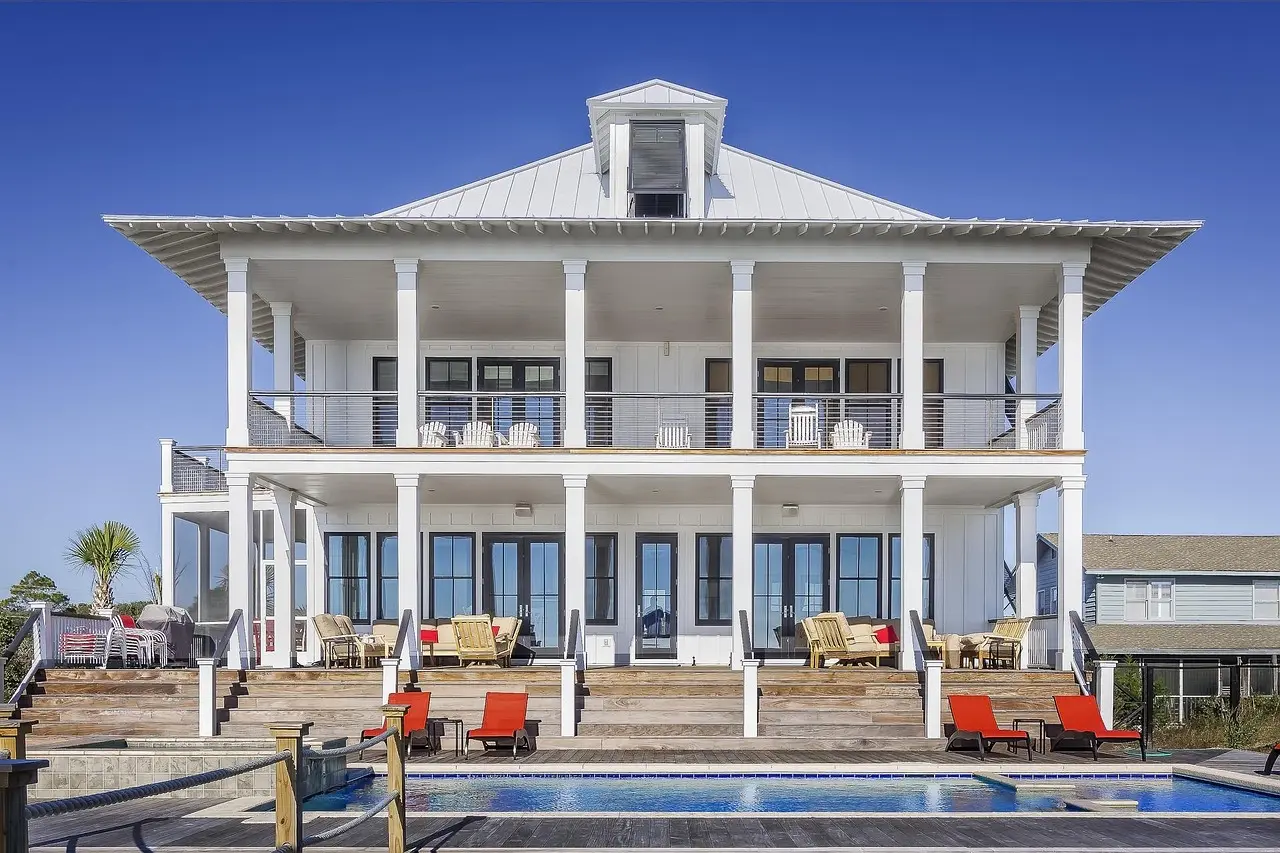
Built from five years of Kathy's own Home Watch business: more than 100 clients, more than 7,500 visits, and over $300,000 a year in repair and renovation work that grew out of them.
You didn't start a Home Watch business to drown in paperwork.
Your evenings go to reports.
Photos scattered across your phone. PDFs built by hand. A client texting at 9 p.m. to ask when you're coming next.
Your paper trail undersells your work.
You do careful, thorough visits, then send a report that looks like a 2014 template. Your pricing depends on how you look on paper.
The business runs you.
No real vacation. No room for another client without something breaking. No way to hire, because every system lives in your head.
Watch a visit run itself.
The whole job, start to finish, on one phone. Scroll through a visit at 412 Ocean Drive.
-
Arrive.
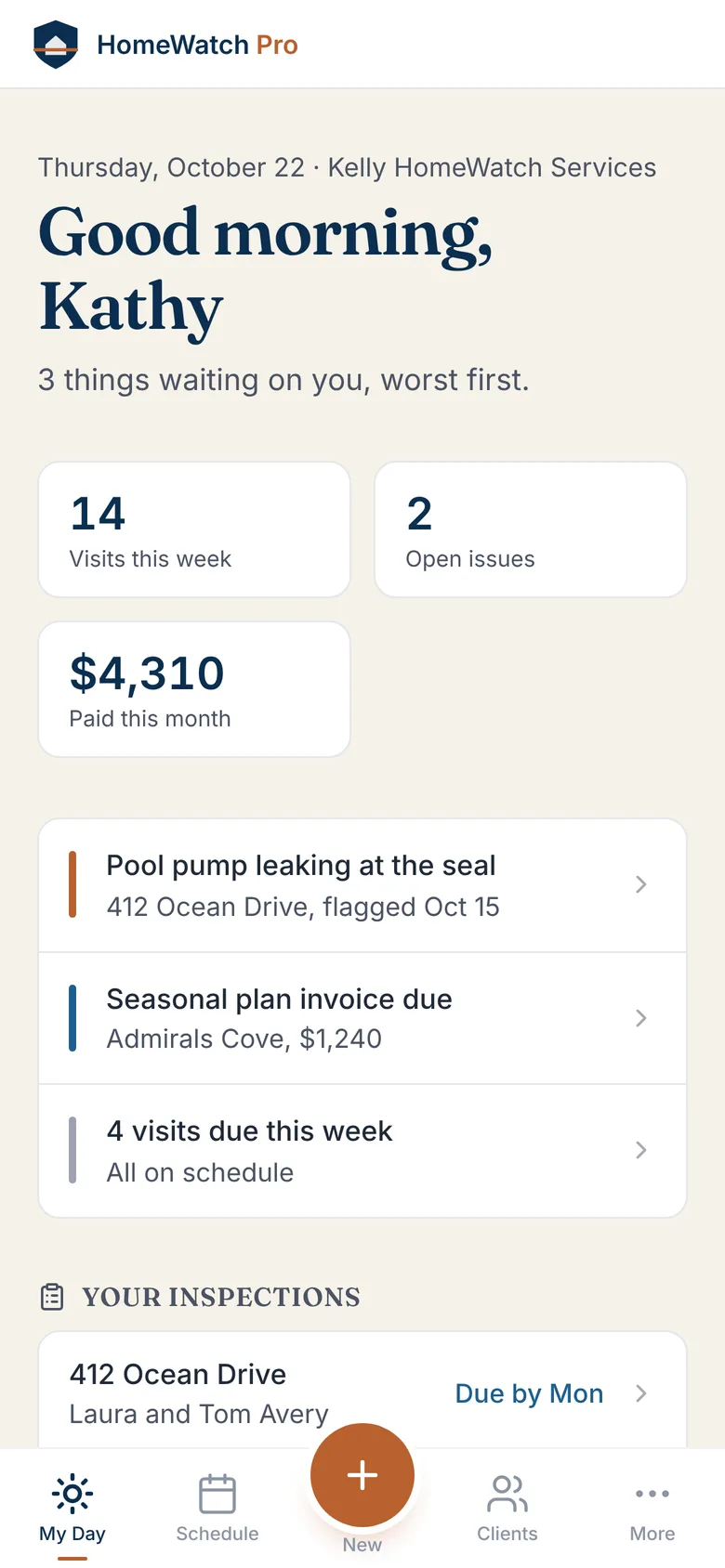
My Day has today's visits and anything that needs you, worst first. Tap the house you're at and the visit starts, stamped with the time and place.
-
Walk the property.
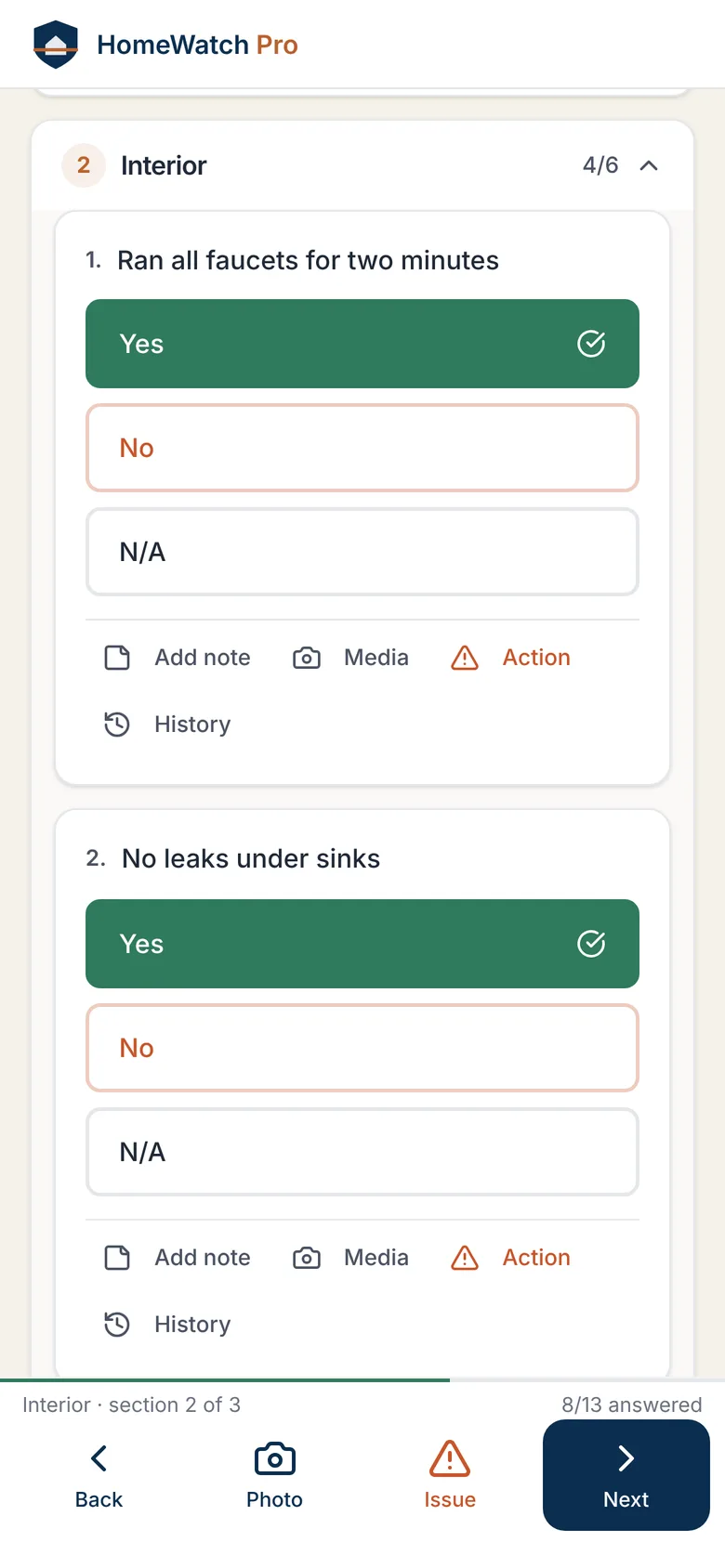
This home's checklist, in the order you walk it. Tap yes or no. It saves as you go, signal or not.
-
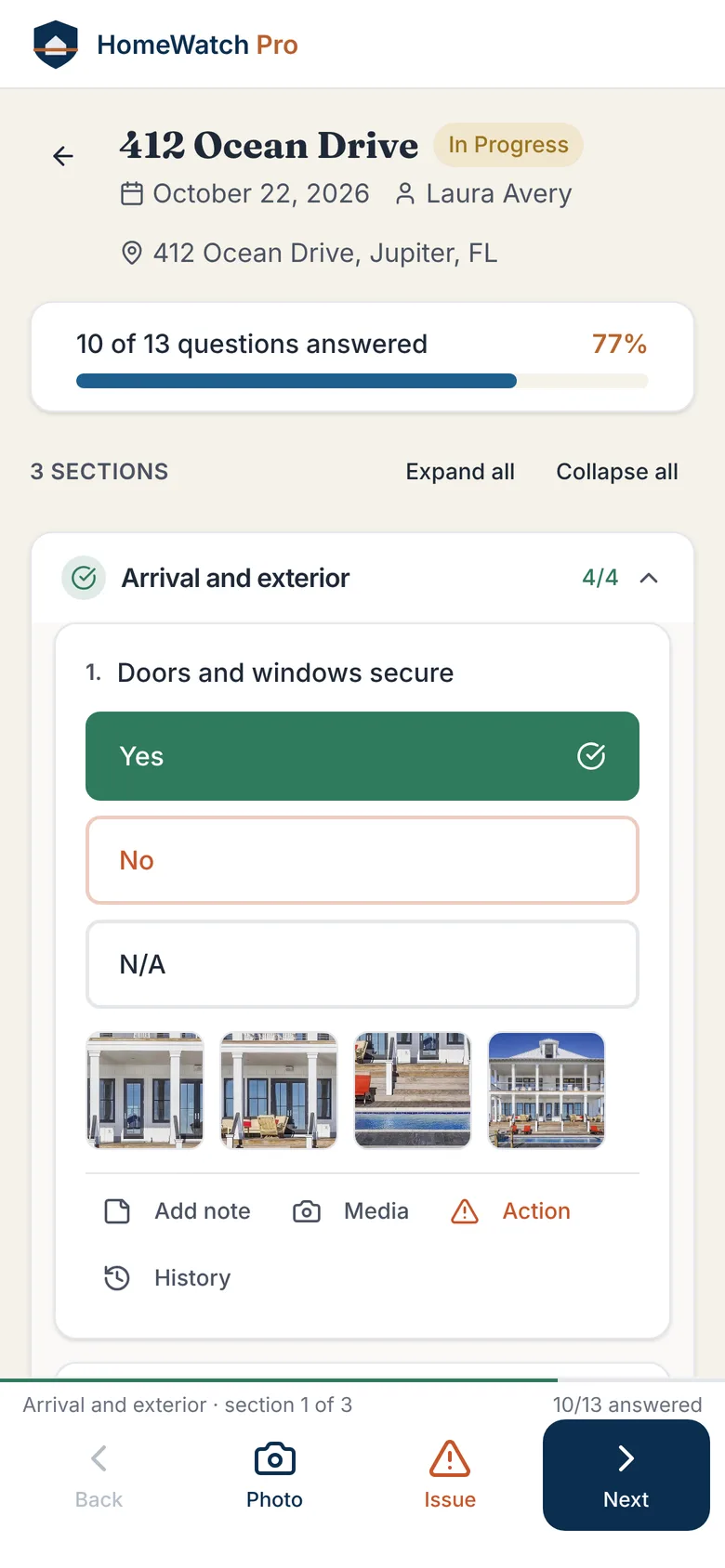
Capture what you see.
Photos land on the item they belong to. Nothing left in your camera roll to sort at the kitchen table.
-
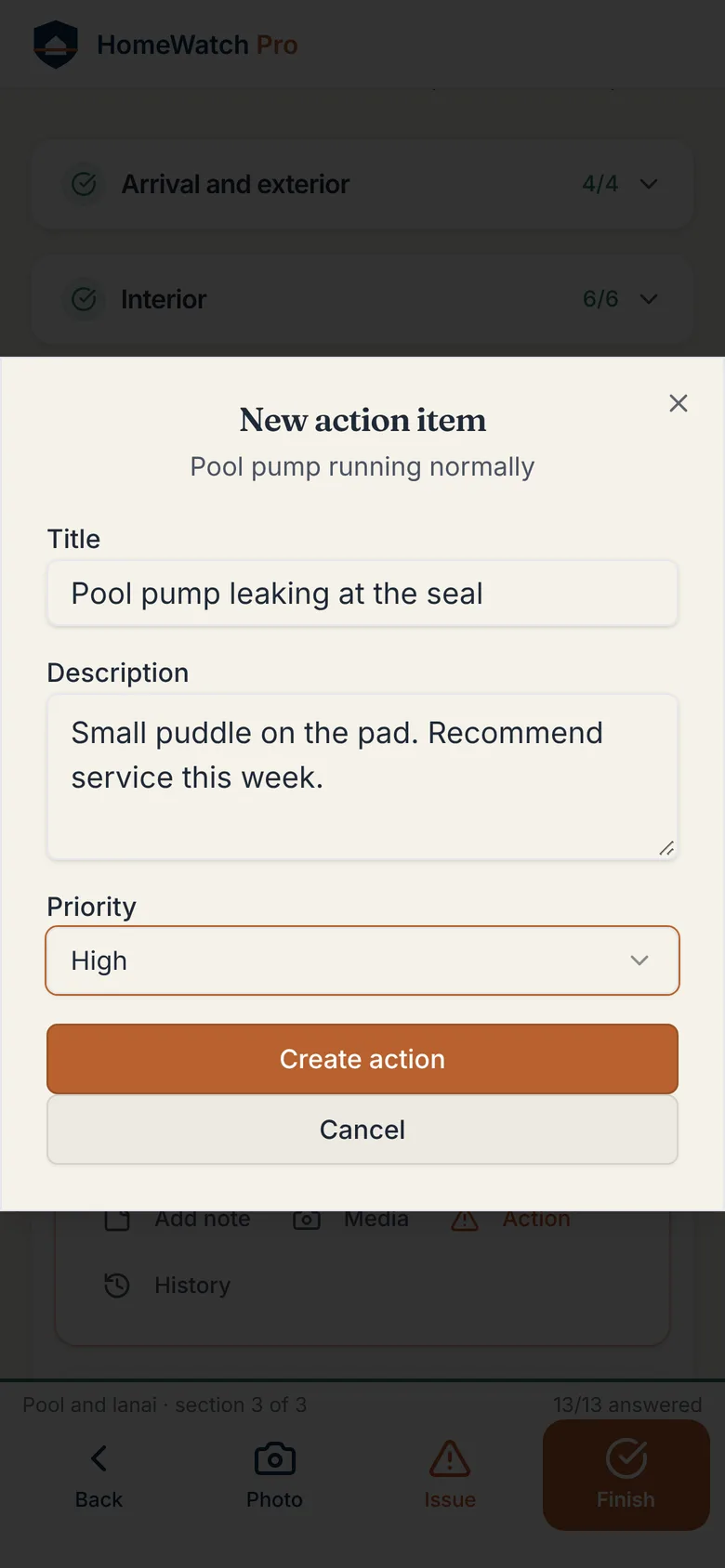
Flag what needs work.
A leaking seal. A tired AC. A soft spot on the roof. Flag it, set the priority, and it stays on the list until it's fixed.
-
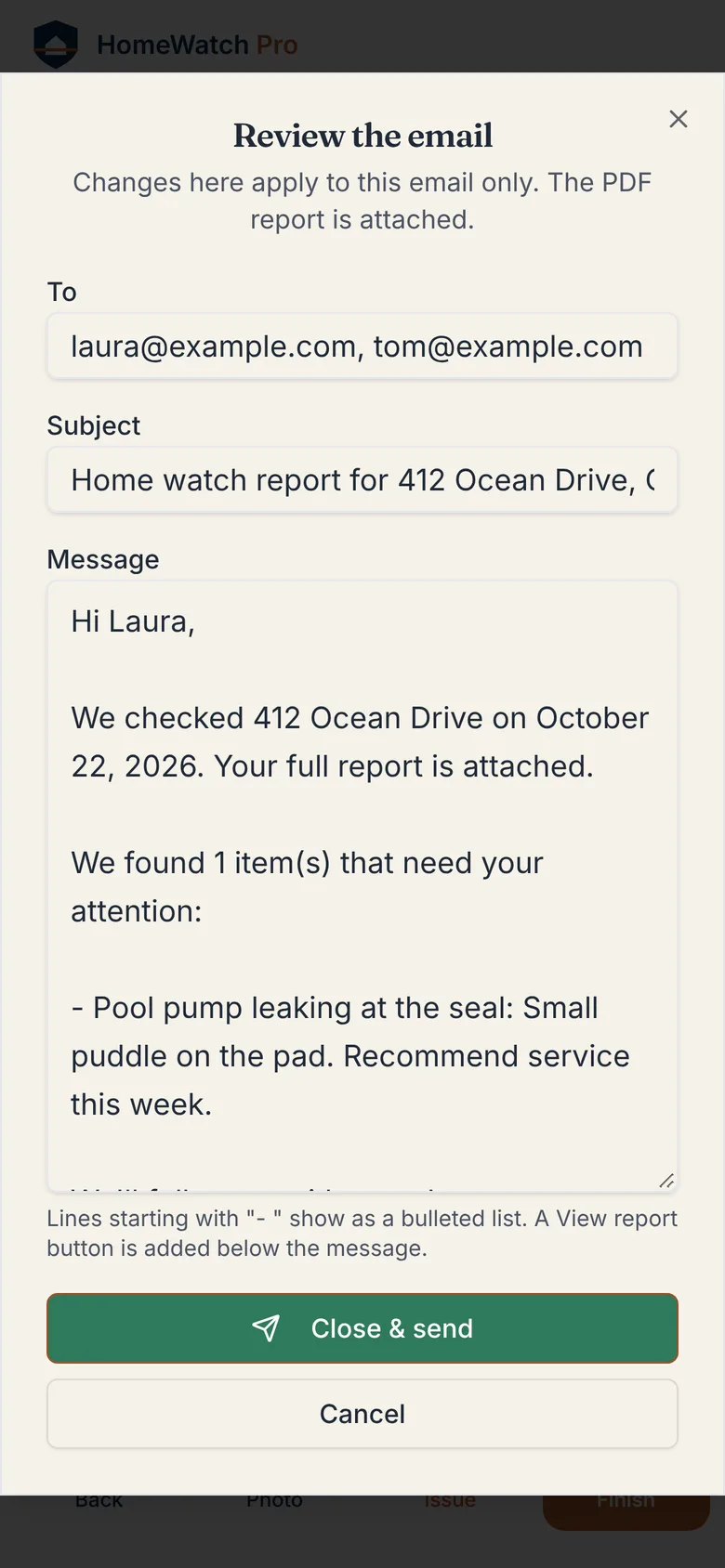
Send the report.
Close the visit, give the email a last look, and the report goes to the owners under your name with the PDF attached. Before you're back in the truck.
-
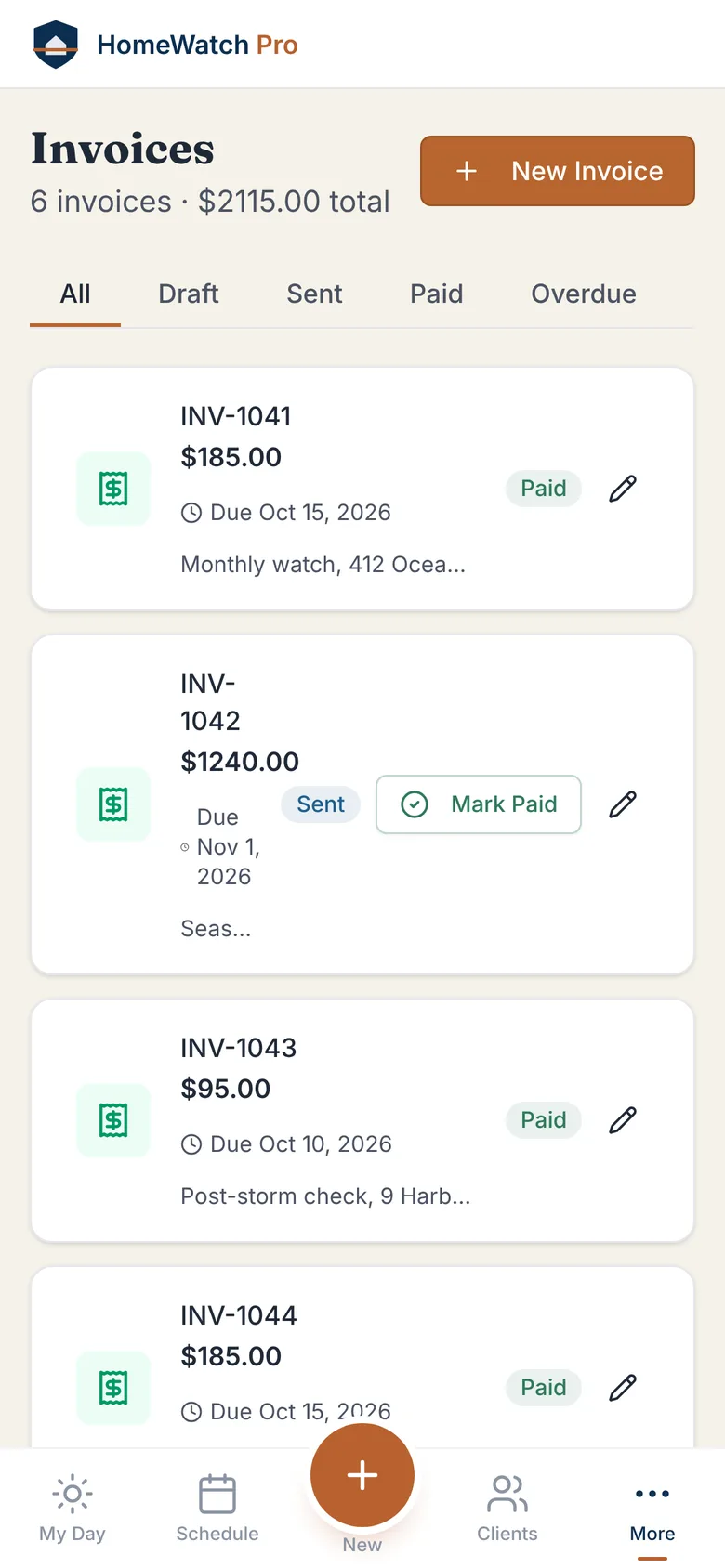
Get paid.
Invoices for every plan and visit, with paid and due in one list, through your own Stripe account. Operator plan and above.
Meanwhile, in Connecticut.
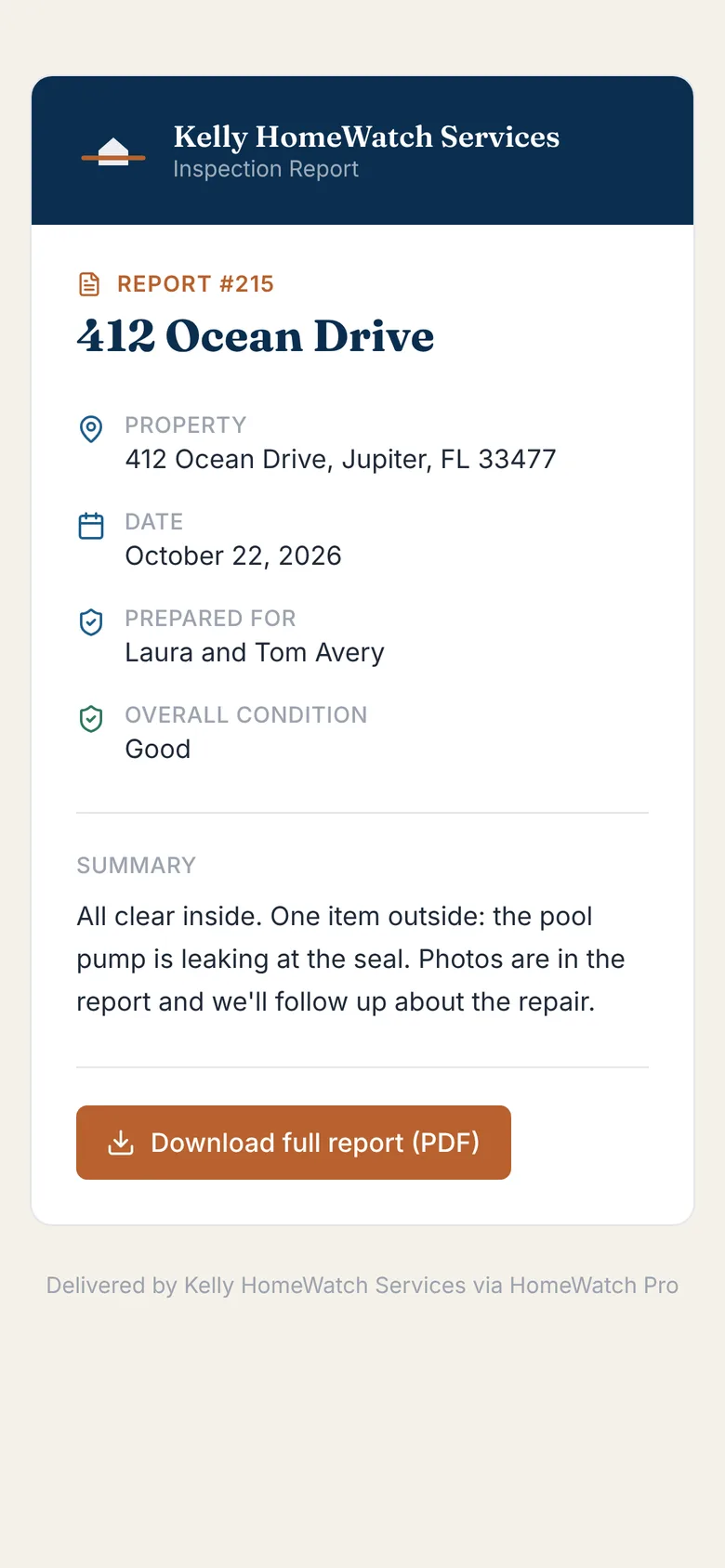
Your client is a thousand miles away. The only thing they need from you lands on their phone before you've left the driveway: all clear, with photos.
That message is what they pay you for. It's also why, when something breaks, you're the first call.
Visit complete at 412 Ocean Drive. All clear. 14 photos, AC at 78°, next visit Nov 5.
Every inspection is also a sales opportunity.
Kathy's clients spend more than $300,000 a year with Kelly Signature on repairs, upgrades and renovations, on top of what they pay for Home Watch. Nearly all of it started with something she noticed on a visit.
- Flagged on the visitPool pump leaking at the seal, Oct 22
- Photos attachedFour shots, filed under pool equipment
- Owner toldIn the report they already read
- Tracked until fixedOn your list, not in your head
- Estimate and approval in the appComing soon
I built HomeWatch.pro because I needed it.
I started watching homes because my clients trusted me to. Snowbirds, second-home owners, busy executives: people who needed someone reliable while they were away. One client became ten. Ten became a hundred.
Somewhere along the way I realized I wasn't only watching homes. I was watching for what those homes needed. A tired AC unit. A shingle out of place. A pool pump on its last legs. Every visit was a quiet conversation with a property, and a hundred of those a month is a real business.
That's how Kelly Signature was born. Today my husband Rich and I run a full-service home services company doing seven figures a year, built almost entirely from clients who first hired us to watch their homes.
The platform I needed to run it didn't exist. So we built it.
Kathy KellyFounder, HomeWatch.pro and Kelly Signature
We'll move your business in for you.
Switching is the reason operators stay with software they've outgrown. So we do the moving.
Free for the next 20 operators who start a trial.
- Your clients and propertiesOwners, addresses, and how they like to hear from you.
- Access notesAlarm codes, lockboxes, shutoffs, the quirks of each house.
- Your checklistsRebuilt as templates you can edit on day one.
- Your visit historyPast inspections and their photos, from SafetyCulture or a spreadsheet.
Plans that start where you are.
Every plan includes the 60-day trial. Yearly billing saves 20%. One repair job you'd have missed pays for a year of Solo.
Solo
For the solo operator just getting started.
$49/month
or $470 a year
- Up to 10 properties
- 2 inspectors
- Branded reports
- Client portal
Operator
For the business adding inspectors and clients.
$99/month
or $950 a year
- Up to 25 properties
- 5 inspectors
- Stripe invoicing
- Automated scheduling
Established
For the operator running a serious portfolio.
$199/month
or $1,910 a year
- Up to 100 properties
- 10 inspectors
- Priority phone support
- API access Coming soon
Managing hundreds of properties? Empire is priced to your operation.
Talk to usStraight answers.
How long does setup take?
Under ten minutes to add your first client and run your first visit. Claim the free move and we bring the rest of your book in for you.
I use SafetyCulture today. Can I bring my history?
Yes. We connect to your SafetyCulture account and bring over your sites, your templates, and your past inspections with their photos.
Do my clients have to download an app?
No. Reports arrive by email with a link, and their portal opens in any browser. Nothing to install, nothing to remember.
Will reports carry my brand or yours?
Yours. Your name, your logo, your colors. On Operator and above, your client portal can run on your own web address.
What happens after the 60 days?
Your card is charged on day 61 for the plan you picked. Cancel in one click before then and you're never charged.
How do I get paid?
Through your own Stripe account, under your business name. The money goes to you, not through us. Available on Operator and above.
Get Kathy's weekly playbook. Free.
Every Tuesday, one practical tactic for growing a Home Watch business: pricing, finding clients, hiring, and scaling. Once a month, a case study from inside Kelly Signature. Unsubscribe anytime.
Stop running your business from a clipboard.
Bring your first client in today and send a report you're proud of this week.
60 days free. Card on file, first charge on day 61. Cancel in one click.